Search User Manual
Barcode Sales Detail - Relevant Buttons
❖ POS Hamburger Menu and Keyboard
POS Touch Sales - Service Charge
POS Touch Sales - Gift Certificates
POS Quick Service Definition of Buttons
POS Quick Service Sales Detail
Order Slip / Kitchen Print Out
Net Sales Summary Report - Monthly
Net Sales Summary Report - Daily
Hourly Top Selling Sales Report
Sales Summary Back Office Report
SETTINGS
Settings
- Settings is where users can manage the functions of EasyPOS such as enabling/disabling the EasyPOS features, Easy series integrations, printer setup, etc.
Company Information
- It is where the user can set up their company information
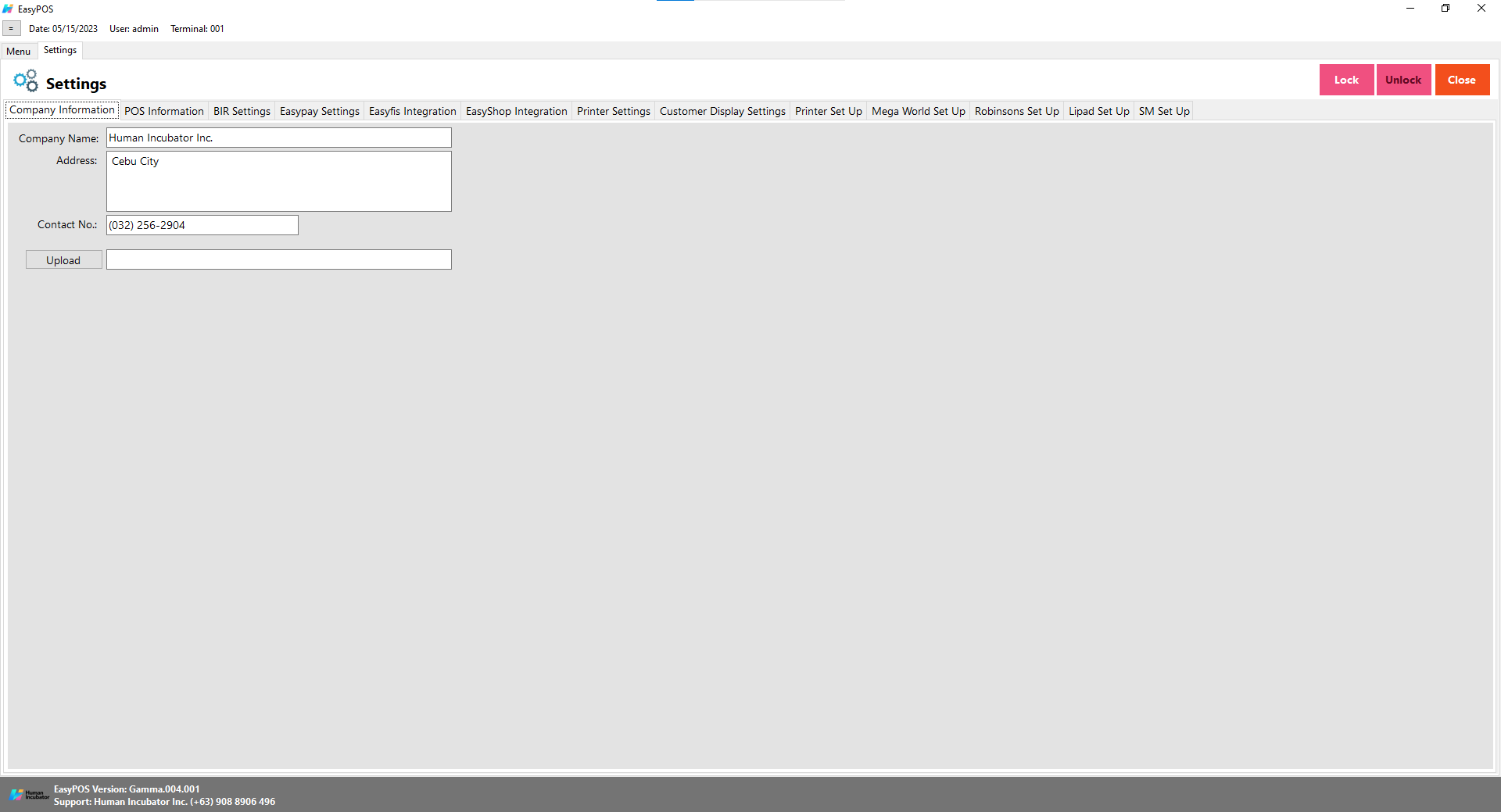
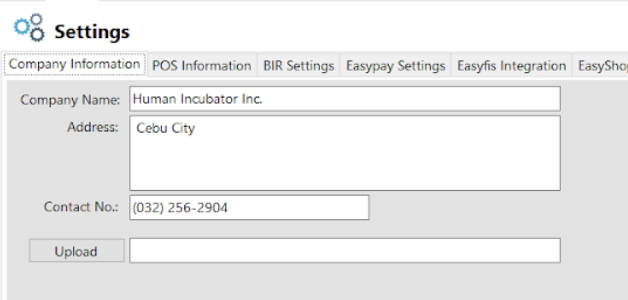
- Fill up the necessary information like:
- Company name, Address, Contact number and upload image
- Click Lock to save the details.
- Click Unlock to edit the details
- Close button will proceed to closing the system table module.
POS Information
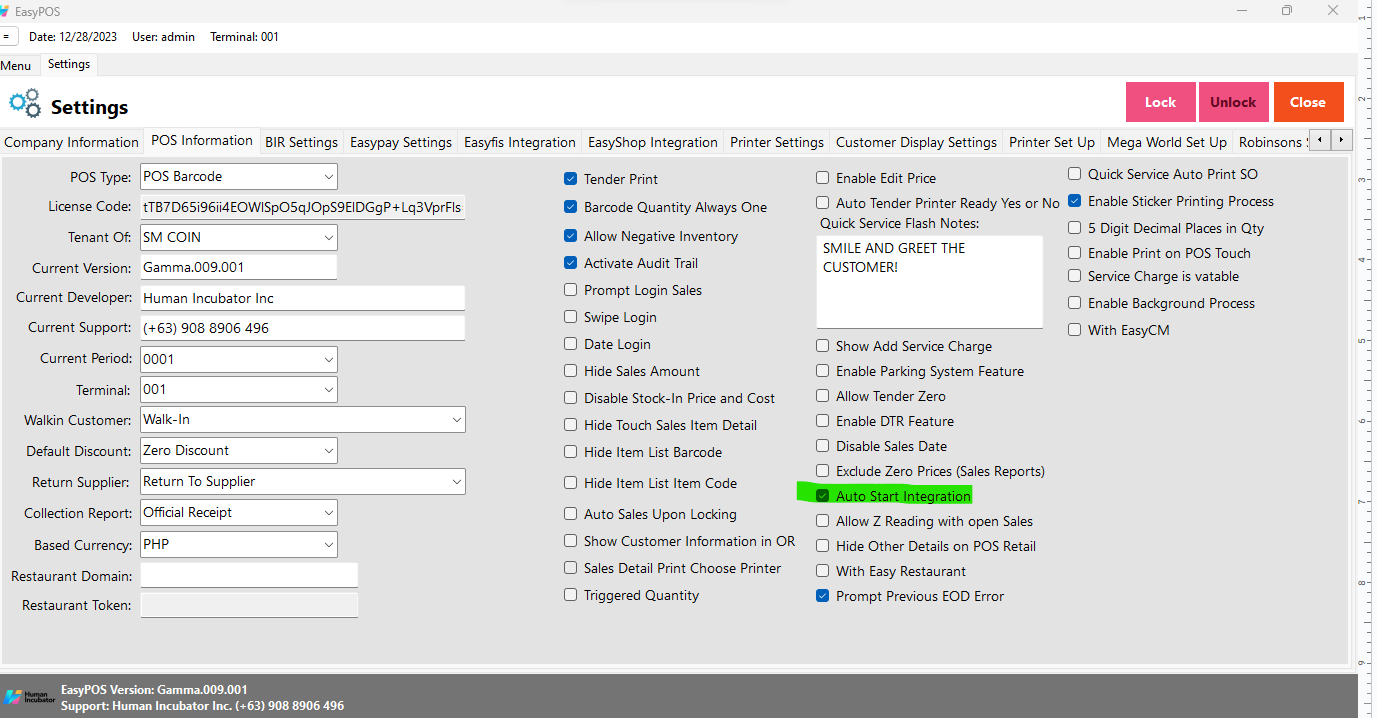
- It is where the user can set the information and set up their POS.
- Fill up the necessary information like:
- Base Currency, Tenant Of, etc
- Tender Print
- Allow the user to enable or disable the print receipt
- Barcode Quantity Always One
- When this feature is enabled, the user cannot edit the quantity of the item after scanning the barcode.
- Allow Negative Inventory
- The user is allowed to make a transaction when there is zero inventory of the item.
- Activate Audit Trail
- Activities and logs of the user will display in the Audit Trail in the Utilities module when it is enabled.
- Prompt Login Sales
- It can be used by the teller or order taker.
- Swipe Login
- Allow the user to login using a swipe card and a card number.
- Date Login
- Allow the user to set the date manually in login.
- Hide Sales Amount
- When it is enabled, the sales amount will be hidden in the POS barcode.
- Disable Stock-in Price and Cost
- When adding a stock-in, the price and cost of the item are disabled and not editable.
- Hide Touch Sales Item Detail
- It is use to hide sales item detail in POS Touch
- Hide Item List Barcode
- The barcode of the items will be hidden in the item list.
- Hide Item List Item Code
- The item code of the items will be hidden in the item list.
- Auto Sales Upon Locking
- When it is enabled, it will automatically create new sales upon locking the transaction.
- Show Customer Information in OR
- The customer information will display in the OR when it is enabled.
- Enable Edit Price
- The user is allowed to edit the price when creating a transaction
- Auto Tender Printer Ready Yes or No
- Disable the prompt message for printer ready yes or no.
- Show Add Service Charge
- Allow the user to add service charge in POS Touch and Quick service.
- Allow Tender Zero
- Allow the user to tender zero transactions.
- Enable DTR Feature
- It is used to monitor the attendance of the employees. The employees can clock in/out and break in/out.
- Disable Sales Date
- Sales date is disable and the user is not allowed to select date in sales
- Exclude Zero Prices (Sales Report)
- The item that has a zero(0) price is not included in the sales report
- Auto Start Integration
- Automatically start the integration like easyFS.
- Allow Z Reading with Open Sales
- Allow the user to view or print z reading report with an open sales
- Hide Other Details on POS Retail
- When this feature is enabled, it will only display the item description, quantity, price, discount and amount in sales detail.
- With Easy Restaurant
- It is applicable for easy pos with easy restaurant setup
- Prompt Previous EOD Error
- Enable the EOD feature
- It is a prompt message error for the previous EOD.
- Quick Service Auto Print SO
- It can print order slips in the quick service when it is enabled.
- Enable Sticker Printing Process
- Allow the user to print sticker
- 5 Digit Decimal Places in Qty
- Allow the user to input 5 decimal places in quantity fields
- Enable Print on POS Touch
- Enable the print button in POS touch sales detail
- Service Charge is vatable
- Allow the user to add service charge for company’s other income
- Enable Background Process
- If it is check, it will skip the inventory process every transaction
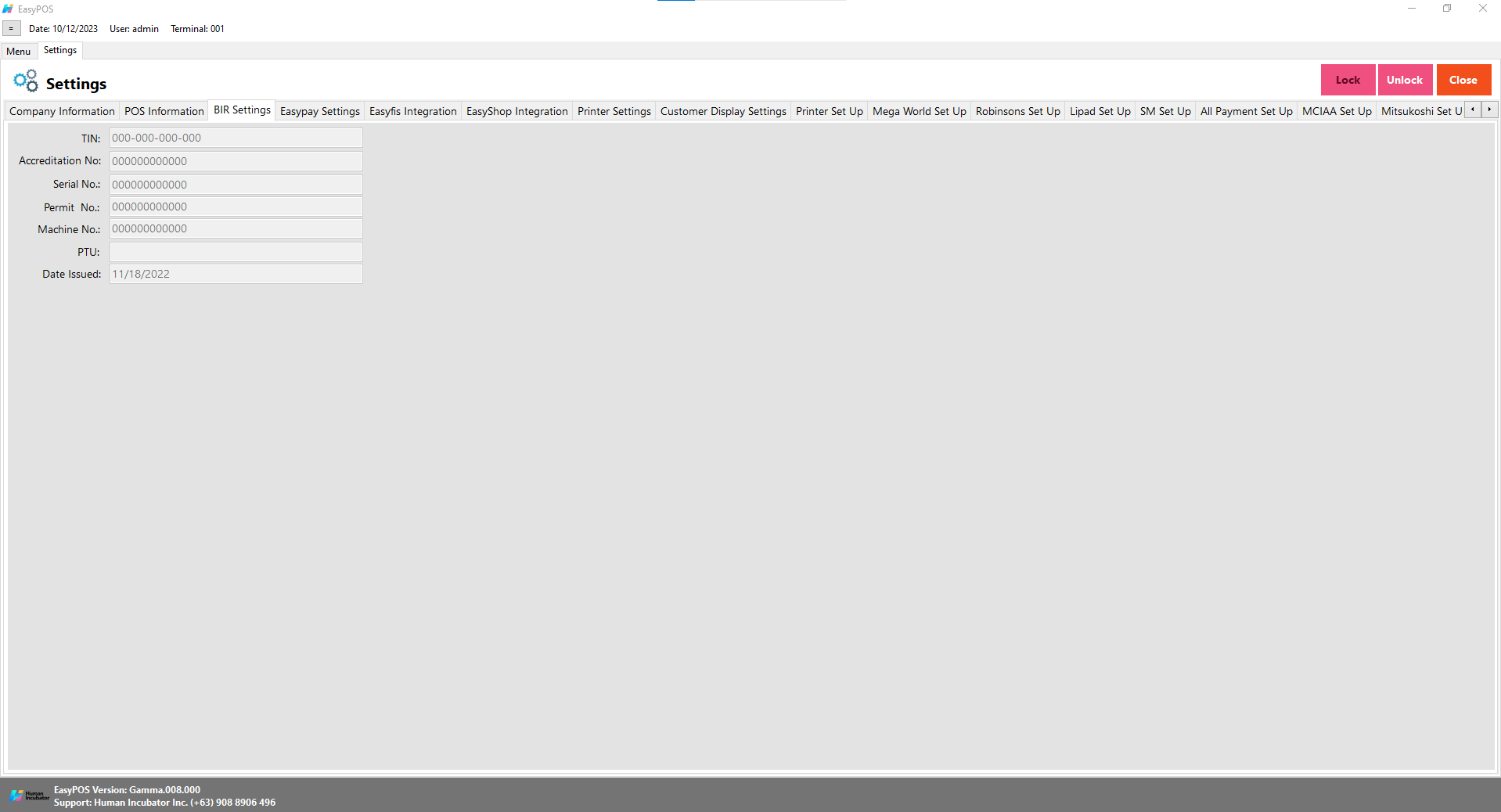
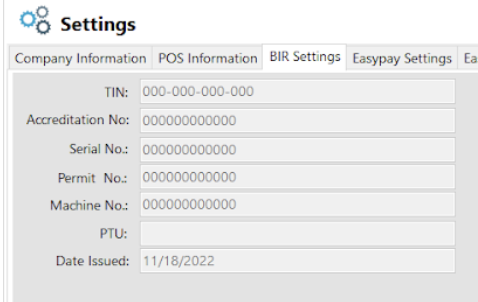
BIR Settings
- It is where the user can set up their BIR credentials and receipt documentation.
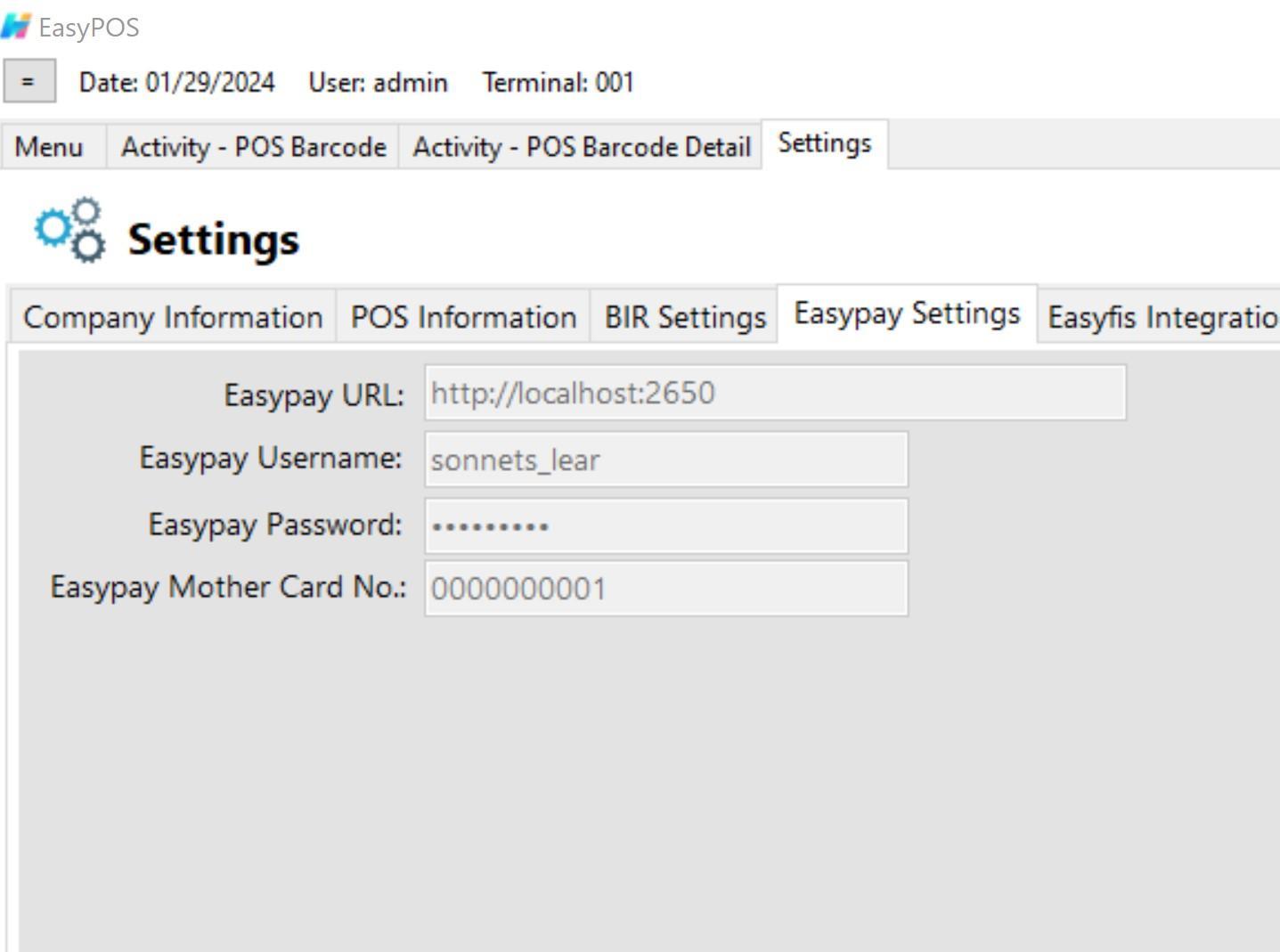
Easypay Settings
- This is for the easypay integration where the user will set up the URL, username, password and card no.
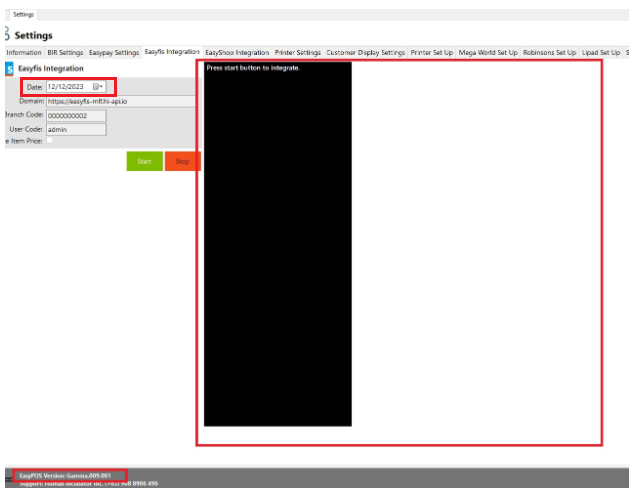
easyFS Integration
- This is for easyFS integration where it is a connection and integration between the easyFS and EasyPOS products.
- We cannot connect more than two EasyPOS with easyFS.
- Set up the following in the database (use sql server):
- Domain(ex: https://easyfs-perrochikoph.hi-api.io )
- Branch Code(ex: 0000000001)
- User Code(ex: admin)
- Select date for integration
- Click Start button to start the integration
- Click Stop button to stop integration
- Don’t shutdown the POS system with integration until synchronization is done
Note: For integration of masterlists like Items, Customers and Suppliers, you need to set the correct date of when it was added/updated in the easyFS system before switching the integration on.
Updating the BARCODE and UNIT in the easyFS system will cause duplication of items in EasyPOS which will cause a discrepancy of inventories between two systems. To avoid this kind of issue(s), you should add a new entry for the updated barcode(s) and unit(s).
And as for the stock in, stockout and stock transfer transactions, you need to set the date of the integrator in EasyPOS to the date that was set in every “IN Date” for stock in, “OT Date” for Stockout and “ST Date” for stock transfer transactions.
Automatic Integration
- If you want to Automatically start the integration go to
- Settings → POS Information
- Click on the Auto Start Integration Check Box